

The Ultimate Guide to Reposting Instagram Posts: Tips and Tricks
Reposting Instagram content is an art form that can elevate your social media game. Not only does it allow you to share inspiring or entertaining content with your followers, but it also helps in fostering community engagement. If you’re interested in mastering the skills of reposting, you’re in the right place! In this guide, we’ll explore various techniques, tools, and best practices for effectively repost instagram posts. Let’s dive in!
Understanding the Basics of Reposting
Before we jump into the nitty-gritty of reposting, it’s essential to understand what reposting actually means. Reposting is the act of sharing someone else’s content on your own Instagram account. This typically involves giving credit to the original creator, whether it be through tagging them in the post or mentioning them in the caption.
Why Repost?
Reposting can be an effective strategy for several reasons:
- Content Curation: It allows you to curate and share relevant content with your audience, which can help in establishing your brand’s voice.
- Building Community: By reposting your followers’ posts, you can create an interactive platform that fosters community and engagement.
- Cross-Promotion: Reposting can be beneficial for both the original creator and you; it increases visibility and can lead to more followers.
Tips for Reposting
Here are some essential tips to keep in mind when reposting content on Instagram:
- Ask for Permission: Always reach out to the original creator and ask for their permission before you repost their content. This is not only a good practice but also helps to build relationships with other users.
- Give Credit: Tag the original account in your repost and mention them in the caption. This recognizes their work and ensures followers can easily find the original creator.
- Use Quality Content: Only repost high-quality images or videos. Your feed is an extension of your brand, and low-quality content can hurt your brand’s reputation.
- Maintain Your Aesthetic: When reposting, ensure that the content aligns with your overall aesthetic or theme. This can include consistent color schemes or subject matter.
- Engage With the Content: Don’t just repost. Engage with the content you’re sharing. Comment or like the original post, and encourage your followers to do the same.
Tools to Help You Repost
Several tools can simplify the process of reposting Instagram posts:
- Repost for Instagram: This app allows you to easily share posts while automatically giving credit to the original poster.
- Regrammer: With this app, you can repost images and videos from Instagram directly to your feed.
- Canva: Perfect for adding custom captions or branding to reposted images.
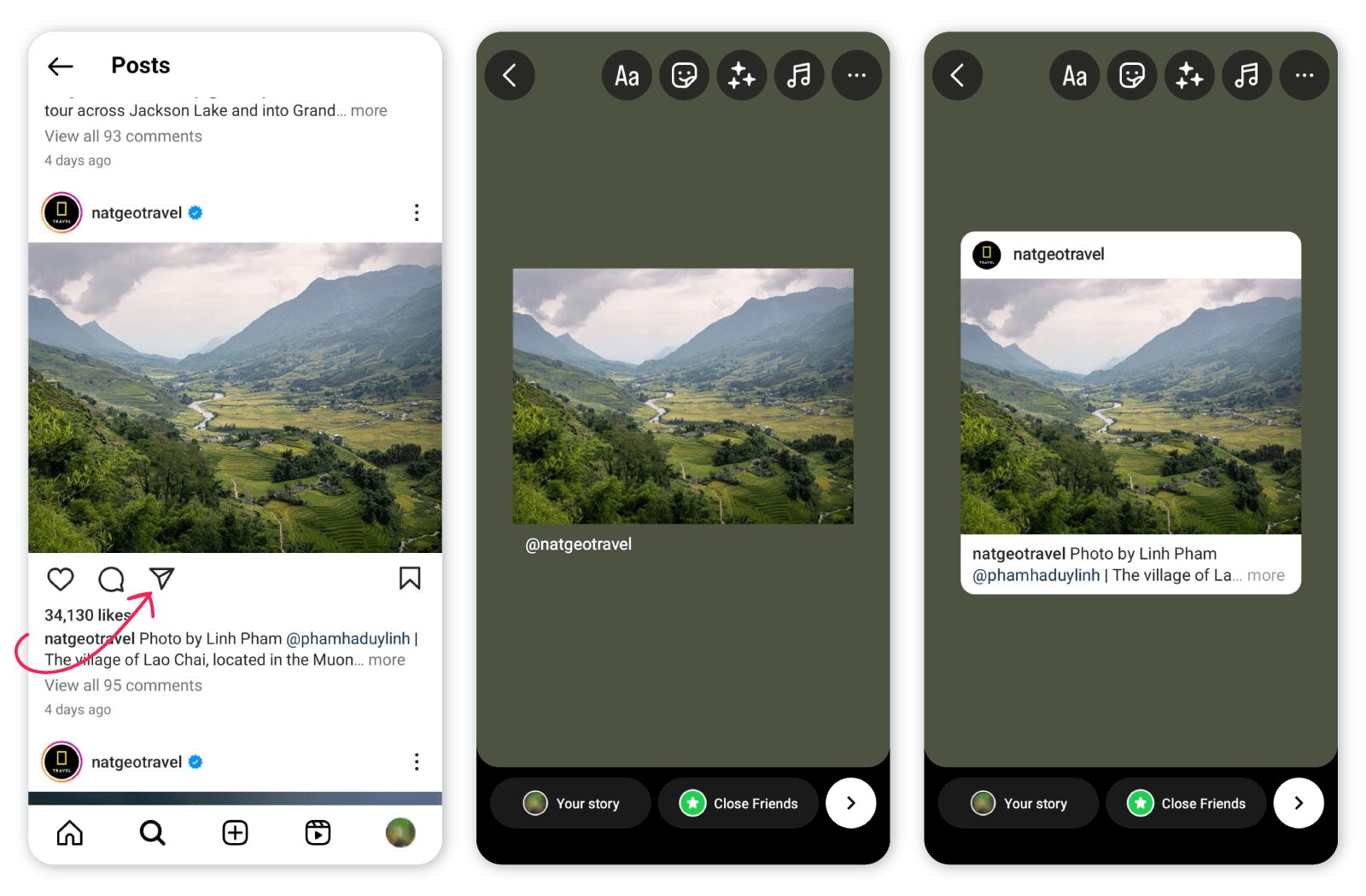
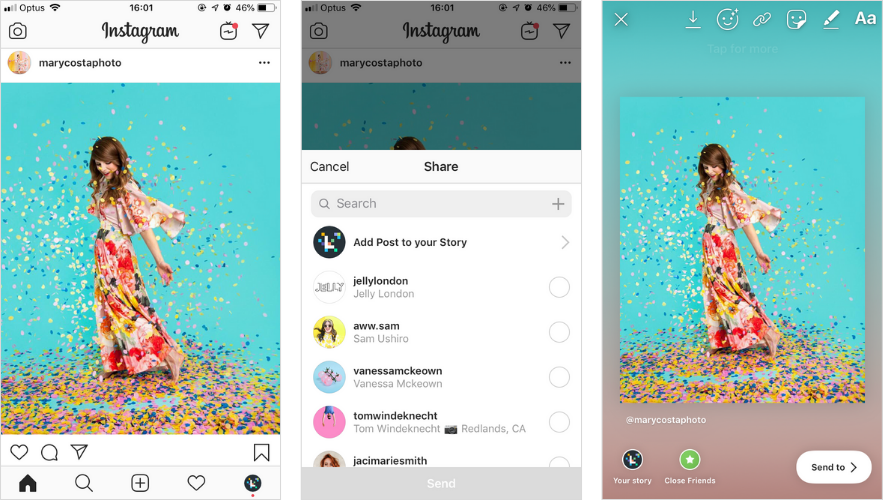
- Instagram’s Built-in Feature: Instagram now provides a feature for sharing posts in Stories, which is a quick and easy way to repost without worrying about permissions.
Reposting Etiquette
As with any social platform, there are unwritten rules and etiquette when it comes to reposting on Instagram:

- Respect Copyright: Never repost content you haven’t been given permission to share. Copyright infringement can lead to account suspension.
- Choose Wisely: Don’t repost every single piece of content you like; select posts that resonate with your audience.
- Keep it Professional: Use appropriate language and tone when sharing other users’ content. Always maintain your account’s brand voice.
- Be Transparent: If the reposted content is sponsored or part of a collaboration, make sure to disclose that information.
Creative Ways to Repost Content
Reposting doesn’t have to be straightforward. Here are some creative ways to add a unique spin:
- Use a Unique Caption: Instead of just copying the original caption, try adding your thoughts or a funny take that reflects your personality.
- Create a Collage: Combine several reposted images into a collage or a single post. This can create an engaging visual experience.
- Make it a Series: If you find multiple posts on a similar theme, consider creating a series around those topics to keep your audience engaged.
The Impact of Reposting on Engagement
Studies have shown that reposting can significantly boost engagement on Instagram. It helps in increasing exposure and can lead to a rise in followers. Here’s how reposting can enhance engagement:
- Diverse Content: By sharing a variety of posts, you provide your audience with fresh content, which can keep them interested and coming back for more.
- Encourages Interaction: When you repost content from followers, it invites interaction, as they will likely comment or share their thoughts on the post.
- Strengthens Community: Reposting user-generated content shows that you value your followers and their contributions, which can lead to a more tight-knit community.
Conclusion
Reposting Instagram posts is a fantastic way to engage your audience, build community, and enhance your feed’s visual appeal. By following best practices, utilizing the right tools, and maintaining proper etiquette, you can become a pro at reposting in no time. Remember that the key to successful reposting lies in respecting the original creator and clearly communicating with your audience. So go ahead, embrace the art of reposting, and watch your Instagram community flourish!
 No hay productos en el carrito.